
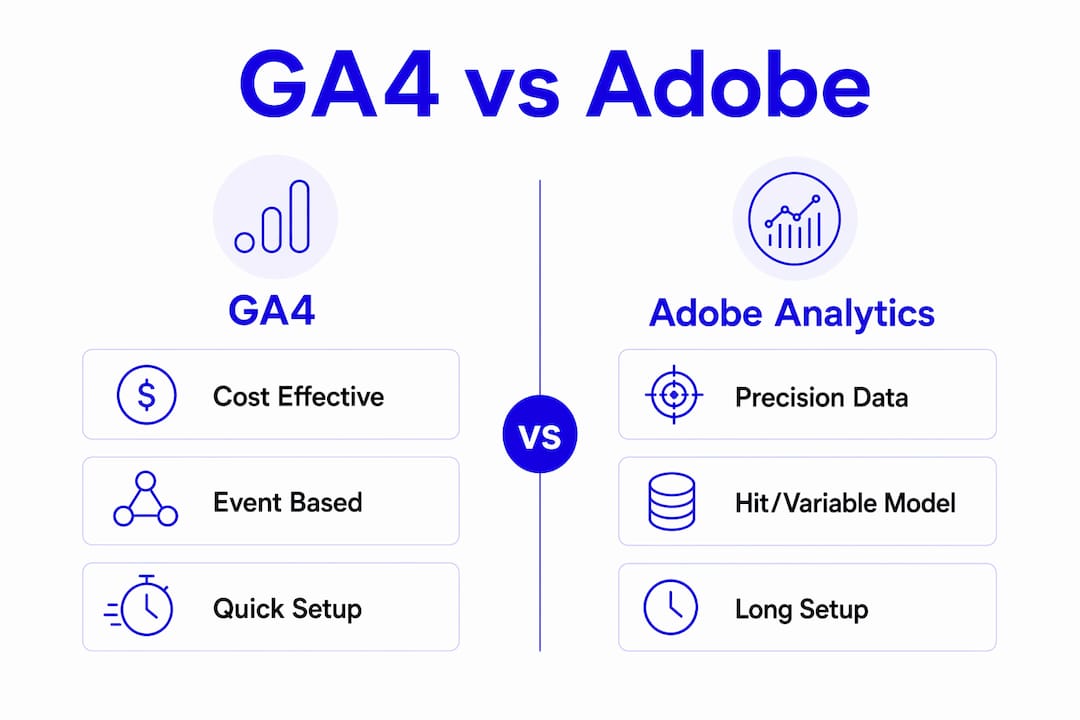
For most single-site and small regional dealerships, Google Analytics 4 (GA4) is the right starting point. It deploys in 1–4 weeks, connects directly to Google Ads, and costs noticeably less than Adobe Analytics in year one. Adobe Analytics earns its place only when your group runs 10 or more franchises, has dedicated analytics engineering staff, and needs unsampled data to reconcile lead counts across multiple vendor dashboards and offline DMS sources.
When to choose each platform:
- Single-store or small regional group: GA4. Fast deployment, native Google Ads attribution, and BigQuery export for raw-data validation cover the vast majority of dealership reporting needs.
- Regional group scaling up: GA4 with BigQuery export, plus an independent audit layer. The platform handles the volume; the audit layer catches vendor-report discrepancies before they cost you budget.
- Large multi-franchise enterprise: Adobe Analytics with Adobe Experience Platform. Unsampled processing, XDM-based identity stitching, and Customer Journey Analytics justify the 3–6 month implementation timeline and higher cost when data fidelity is non-negotiable. CCPA compliance requirements apply to both platforms, but Adobe's governance controls are more granular for multi-brand environments.
Table of Contents
- How do GA4 and Adobe Analytics compare for dealerships?
- What technical differences actually affect your vendor reporting?
- How should dealership execs decide, procure, and validate?
- Autoroiq gives you independent oversight, not another vendor opinion
- Key Takeaways
How do GA4 and Adobe Analytics compare for dealerships?
| Autoroiq | Google Analytics 4 (GA4) | Adobe Analytics | Google BigQuery | Adobe Experience Platform (AEP) / CJA | |
|---|---|---|---|---|---|
| Best for | Dealership execs needing independent audit and vendor accountability | Single stores and small groups | Large multi-franchise enterprises | GA4 users needing unsampled raw data | Enterprises requiring identity stitching and journey analytics |
| Implementation timeline | Engagement-based | 1–4 weeks | 3–6 months | Days (alongside GA4) | Months (alongside Adobe stack) |
| Total cost (license + partners + engineering) | Consulting fee | $20K–$80K first year | $150K–$500K+ first year | Incremental to GA4 | Significant; bundled with Adobe license |
| Data model and sampling | N/A (audit layer) | Event-based; sampling on complex queries | Hit/variable model; unsampled processing | Unsampled SQL queries | Unsampled; XDM schema |
| Raw data access | Audit of exports | BigQuery export | AEP/OTDS raw feeds | Native | Native via AEP |
| Ad ecosystem integration | Vendor-agnostic review | Google Ads, Search Ads | Adobe Advertising Cloud, Experience Cloud | Via GA4 | Via Adobe stack |
| CRM/DMS integration | Evaluates all connectors | Limited native DMS connectors | Broader via AEP connectors | Custom SQL | CRM, POS, call center via AEP |
| Support and partner dependency | Independent; no vendor bias | Google support; low partner dependency | Certified partners required | Google-managed | Adobe-certified partners required |
Top three tradeoffs to weigh:
- Time-to-value vs. precision. GA4 gives you usable data within weeks. Adobe's precision is real, but the several-month ramp means your campaigns run without validated attribution for an entire selling season.
- Total cost including hidden fees. Adobe's certified partner and engineering requirements create ongoing expenses that rarely appear in the initial license quote. Budget for them explicitly before signing.
- Integration path with your CRM and DMS. GA4 connects cleanly to Google Ads but requires custom work to pull in DMS data. Adobe's AEP connectors handle CRM, POS, and call center feeds natively, which matters when you need to reconcile online leads against actual vehicle sales.
On coexistence: GA4 plus BigQuery export is a practical hybrid for mid-size groups. Export raw event data to BigQuery, run SQL queries against it, and you eliminate GA4's sampling exposure on complex reports without committing to Adobe's full stack. For enterprises already in the Adobe ecosystem, feeding raw data into AEP and analyzing it through Customer Journey Analytics is the equivalent path.
What technical differences actually affect your vendor reporting?
Data model: event-based vs. hit/variable
GA4 treats every interaction as an event: a VDP view, a lead form submission, a phone click. Adobe Analytics uses a hit-based model with eVars, props, and success events, giving analysts more post-processing control but requiring more setup to capture the same interactions. For dealerships, the practical difference shows up in how VDP views and lead attribution are counted. GA4's model is simpler to audit; Adobe's is more configurable once your team knows the platform.

Sampling and data accuracy
GA4 can sample complex queries when report parameters exceed standard thresholds. Adobe processes data without sampling for most enterprise report types. For a high-volume dealer group running paid search, display, and third-party lead providers simultaneously, sampled data can misrepresent cost per lead by enough to shift budget decisions. BigQuery export resolves this for GA4 users.
Technical behaviors that directly affect dealership use cases:
- VDP tracking accuracy depends on consistent event naming across all pages; GA4's parameter limits can cause cardinality issues on large inventory sets.
- Lead attribution across paid channels requires cross-domain tracking configuration in GA4; Adobe handles this through identity stitching in AEP.
- Phone call and offline conversion imports are manual in both platforms; neither natively pulls DMS deal data without a custom connector or middleware.
- GA4 accepts late-arriving events up to 72 hours after the session, which can shift daily lead counts in vendor dashboards.
- Adobe's Live Stream delivers hit-level data within 30–90 seconds for real-time activation, useful for same-session personalization but rarely a dealership priority.
Implementation and cost data
| Dimension | GA4 | Adobe Analytics |
|---|---|---|
| Implementation timeline | a few weeks | several months |
| Typical first-year cost | mid-range cost | higher-end cost |
| Data retention (free tier) | Limited; BigQuery export required for long-term | Richer raw feeds via AEP |
| Sampling exposure | Present on complex queries | Minimal; unsampled for most reports |
Data flow in plain terms: On the GA4 side, events fire from your site through Google Tag Manager, land in the GA4 property, and can be exported to BigQuery for raw SQL analysis. On the Adobe side, hits travel through the Adobe Launch tag manager into Adobe Analytics, then stream into AEP under the XDM schema, where Customer Journey Analytics can query them alongside CRM and DMS data. The Adobe path is more powerful for multi-source reconciliation; the GA4 path is faster to stand up and easier for a lean team to maintain.
Pro Tip: Run a concurrent 30-day parallel export from GA4 to BigQuery and compare lead event counts against your vendor's dashboard. Any gap larger than 5% warrants a formal discrepancy review before your next budget cycle. This is one of the fastest ways to surface whether a vendor is reporting inflated VDP views or lead counts.
How should dealership execs decide, procure, and validate?
Your platform choice should follow organizational maturity, not feature lists. GA4 fits teams with limited analytics headcount and budgets under $100K for the full analytics stack. Adobe fits teams with dedicated analysts, engineering support, and data volumes that make unsampled precision worth the investment.
Decision checklist:
- Count your analytics-capable staff. If you have fewer than two people who can write SQL or manage a tag management system, GA4 is the realistic choice.
- Audit your current vendor reporting. If you cannot reconcile your Google Ads dashboard against your CRM lead count today, fix that before adding platform complexity.
- Define your DMS integration requirement. If offline sales data must flow into your analytics platform for attribution, confirm which connectors exist and what they cost before signing any license.
- Set a data volume threshold. If your sites generate fewer than 10 million events per month, GA4 sampling is unlikely to materially distort your reports.
- Confirm your CCPA compliance posture. Both platforms offer consent management controls; verify that your tag implementation actually honors opt-outs before going live.
- Budget for total cost of ownership, not just the license. Adobe's ongoing partner and engineering fees are the most common source of budget overruns.
Ten questions to ask any analytics vendor or agency partner:
- Who owns the implementation, and what happens to our data if we end the relationship?
- Do we have direct access to raw event exports, and under what conditions?
- What is your SLA for data freshness, and how do you handle late-arriving events?
- Which reports are subject to sampling, and how will you notify us when sampling occurs?
- How do you resolve user identity across web sessions, mobile, and offline DMS records?
- What native connectors exist for our specific DMS, and what is the setup and maintenance cost?
- What is the full cost model over three years, including partner fees and engineering retainers?
- What training will your team provide, and what internal skills do we need to maintain the platform?
- How long is data retained, and what does it cost to extend retention or export historical data?
- Will you grant us audit rights to compare your dashboard figures against raw export data?
Red flags to watch for:
- A vendor who offers to sign and deploy within days, with no measurement plan or tagging audit.
- No raw data export option, or export locked behind an additional fee tier.
- Bundled "report-only" access where your team cannot query the underlying data.
- Unclear partner dependency, where the vendor's own agency is the only certified implementer.
- No documented process for reconciling their dashboard numbers against your CRM or DMS.
On staffing: GA4 requires at minimum one analyst comfortable with Google Tag Manager and BigQuery SQL. Adobe Analytics demands a dedicated analytics engineer plus a certified implementation partner during setup, typically adding $50K–$150K in professional services in year one. If neither profile exists on your team today, factor contractor costs into your platform decision before you commit. For choosing the right agency partner, independent evaluation criteria matter as much as platform expertise.
Autoroiq gives you independent oversight, not another vendor opinion
Vendor-provided analytics reports are not independent audits. Autoroiq's marketing intelligence service gives dealership executives a vendor-agnostic review of what your analytics data actually shows versus what your vendors are claiming.
Autoroiq's proprietary methodology audits your GA4 or Adobe Analytics implementation, scores vendor performance against your actual dealership KPIs, and delivers executive-level recommendations you can act on in the next budget cycle. The engagement is structured around your data, not a platform license or an ad spend relationship. If your cost per lead vs. cost per sale numbers don't reconcile across vendor dashboards, that is exactly the problem Autoroiq is built to solve. Request an independent marketing performance review at autoroiq.com.
Key Takeaways
GA4 suits most dealerships on cost and speed, while Adobe Analytics earns its price only when unsampled precision and multi-source identity stitching are operationally necessary.
| Point | Details |
|---|---|
| Platform fit by org size | GA4 for single stores and small groups; Adobe Analytics for 10+ franchise enterprises with dedicated analytics staff. |
| Implementation gap | GA4 deploys in a few weeks; Adobe requires 3–6 months, delaying validated attribution for an entire selling season. |
| Total cost difference | GA4 first-year costs run $20K–$80K; Adobe typically reaches $150K–$500K+ including implementation and partner fees. |
| Raw data and sampling | GA4 users should export to BigQuery to eliminate sampling on complex queries; Adobe processes most reports without sampling natively. |
| Autoroiq's role | Autoroiq provides vendor-agnostic audits and accountability scorecards that reconcile platform data against real dealership KPIs. |