
Consent Mode v2 is Google's consent signaling API, updated in November 2023, that now requires four signals to maintain full measurement and advertising functionality. If your site runs Google Ads or GA4 and receives any traffic from the European Economic Area (EEA), United Kingdom, or Switzerland, you need to act. The four required signals are ad_storage, analytics_storage, ad_user_data, and ad_personalization. Your immediate next steps:
- Set a default denied state for all four signals before any tags fire
- Send all four signals in every consent update call when users interact with your banner
- Enable Consent Initialization in Google Tag Manager (GTM) and turn on Consent Overview for each Google tag
- Confirm your consent management platform (CMP) is certified and emitting per-signal values
Key Takeaways
Consent Mode v2 requires all four signals (ad_storage, analytics_storage, ad_user_data, ad_personalization) to be present in both default and update calls, or Google Ads and GA4 measurement degrades for any EEA, UK, or Swiss traffic your site receives.
| Point | Details |
|---|---|
| Four signals required | v2 adds ad_user_data and ad_personalization to the original two; all four must appear in default and update calls. |
| Default denied for EEA/UK | Set all four signals to 'denied' before any tags fire for EEA, UK, and Swiss visitors; update on user consent. |
| GTM Consent Initialization | Fire the default consent tag on the Consent Initialization trigger so it runs before gtm.js and all other tags. |
| Test with Tag Assistant | Confirm Consent Initialization appears first in the summary panel and the update event fires immediately after banner interaction. |
| Autoroiq measurement review | Autoroiq reconciles modeled and observed conversion data to give dealerships a clear, vendor-neutral view of campaign ROI. |
Table of Contents
- What does Consent Mode v2 actually do?
- What changed from Consent Mode v1 to v2?
- Basic vs advanced Consent Mode: which one should you use?
- What you need before you start implementing
- How to implement Consent Mode v2 with gtag.js and GTM
- Integrating Consent Mode with your CMP
- Updating consent state, persistence, and whether to resend hits
- End-to-end implementation flow: page load to tag behavior
- How to test and validate your Consent Mode v2 setup
- How Consent Mode v2 affects measurement and what to do about it
- Step-by-step upgrade checklist from v1 to v2
- Best practices, common pitfalls, and U.S. operational notes
- How Consent Mode v2 affects dealership campaign measurement
- Balancing privacy signals with measurement needs
- Autoroiq's measurement intelligence for dealerships
- Sources
What does Consent Mode v2 actually do?
Consent Mode is a signaling framework, not a consent banner. Your CMP captures the user's choice, then passes those choices to Google tags via Consent Mode. Google tags adjust their behavior based on the signals they receive. They either fire fully, fire in a cookieless "ping" mode, or hold until consent is granted.
The framework sits between your CMP and your Google tags. The CMP is the source of truth. Consent Mode is the translation layer. Google tags are the consumers.
The four v2 signals
ad_storage and analytics_storage existed in v1. The two additions in v2 are ad_user_data and ad_personalization. All four must be present in both your default and update calls for full compliance.
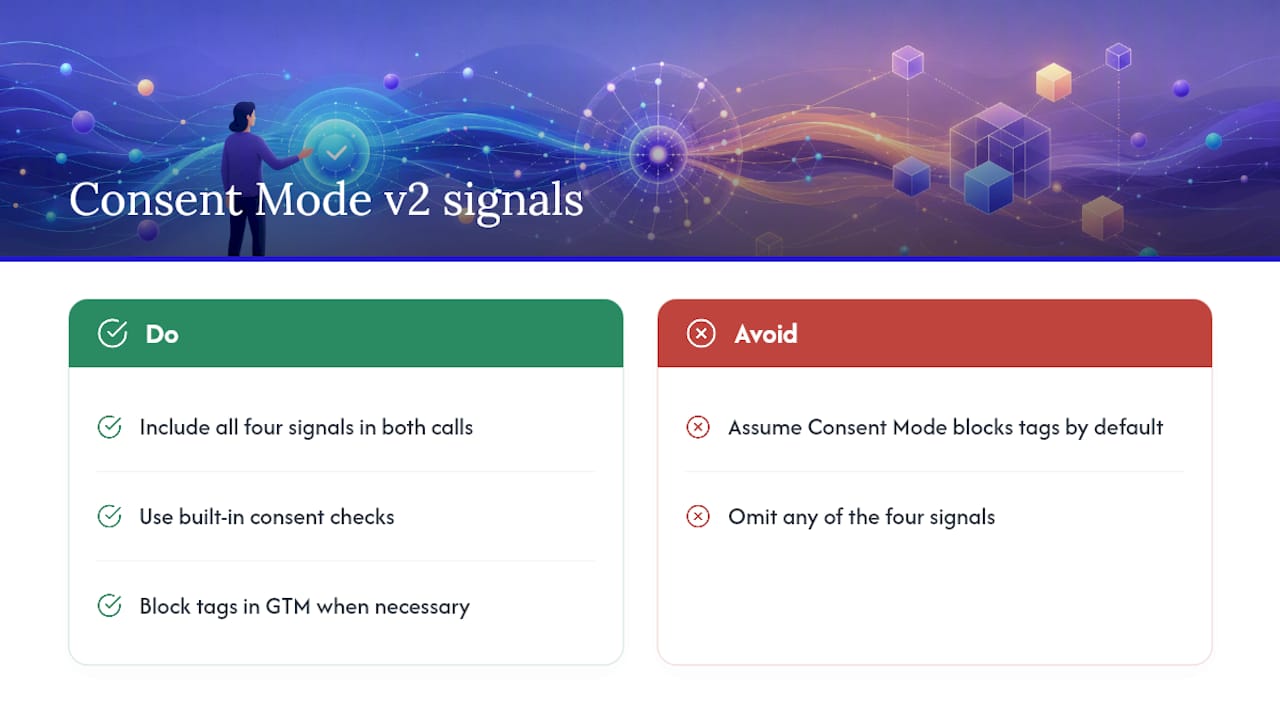
One distinction worth keeping clear: Consent Mode signals tag behavior, but it does not block tags from loading by default. To prevent tags from firing before consent in basic mode, you must either rely on the built-in consent checks within each Google tag or configure your GTM container to block tags explicitly.
What changed from Consent Mode v1 to v2?
Google added ad_user_data and ad_personalization to the signal set in November 2023 and required v2 for all advertisers with EEA or UK traffic starting March 2024. Enforcement tightened further in July 2025, with non-compliant sites experiencing degraded remarketing and conversion features.
The two new signals and why they matter
ad_user_data: Controls whether user data (email addresses, phone numbers, and similar identifiers) can be sent to Google for advertising. Without this signal set to'granted', Enhanced Conversions stops working. Google cannot match conversion events to ad interactions using hashed first-party data.ad_personalization: Controls whether Google can use data for personalized advertising and remarketing. When denied, users are excluded from remarketing lists and Google cannot build audience segments from their behavior.
What the v2 payload looks like
A default call with all four signals denied (recommended for EEA/UK visitors before consent):
gtag('consent', 'default', {
  'ad_storage': 'denied',
  'analytics_storage': 'denied',
  'ad_user_data': 'denied',
  'ad_personalization': 'denied',
  'wait_for_update': 500
});
An update call after a user grants all consent:
gtag('consent', 'update', {
  'ad_storage': 'granted',
  'analytics_storage': 'granted',
  'ad_user_data': 'granted',
  'ad_personalization': 'granted'
});
What breaks without v2 signals
- Enhanced Conversions for web and leads stops functioning
- Remarketing audiences stop building for users who have not been assigned the new signals
- Advertiser-specific conversion modeling degrades or disappears entirely
- Google Ads Smart Bidding loses signal fidelity for EEA/UK traffic
Basic vs advanced Consent Mode: which one should you use?
The distinction between basic and advanced mode determines what your tags do before a user interacts with the consent banner.
Basic mode: Tags are blocked entirely until the user makes a choice. No data is sent, no cookieless pings fire. This is the more conservative approach and suits legal teams that want zero data transmission before explicit consent.
Advanced mode: Tags load immediately but operate in a cookieless state. Google fires "consent-mode pings" that contain no personal identifiers. These pings feed Google's behavioral modeling, which can recover a portion of the measurement lost to consent denial.
Choosing between them
- Small sites or low EEA traffic volume: Basic mode is simpler to implement and carries less compliance risk, though you sacrifice the modeling benefit of cookieless pings.
- E-commerce or performance advertisers: Advanced mode is worth the added complexity. Cookieless pings give Google's models more signal, which improves conversion modeling accuracy for campaigns where every recovered conversion matters.
- High-compliance legal environments (healthcare, finance, legal services): Default to basic mode unless your legal team has reviewed the cookieless ping behavior and confirmed it meets your obligations.
Pro Tip: Advanced mode's cookieless pings do not contain user identifiers, but they do contain aggregated behavioral signals. Confirm with your legal counsel that this transmission is acceptable under your privacy policy before enabling advanced mode for EEA visitors.
What you need before you start implementing
Getting the prerequisites right before writing a single line of code saves significant rework. Here is what must be in place:
Technical prerequisites
- A CMP that can emit per-signal values (
'granted'or'denied') for each of the four signals independently. Generic "accept all / reject all" CMPs that output a single boolean are not sufficient. - GTM container admin access, or direct access to the
<head>of your site template for gtag.js placement - A decision on implementation surface: GTM-based, direct gtag.js, or a CMP plugin (e.g., a WordPress CMP that handles the wiring automatically). Each path has different control and maintenance trade-offs, as outlined by WhatCookie.
- For server-side implementations: a server-side GTM container and a first-party data endpoint
Operational checklist
- Inventory every Google tag in your container: GA4, Google Ads conversion tracking, Conversion Linker, Floodlight, and any Ads remarketing tags. Each needs its built-in consent check enabled.
- Map user journeys where UTM parameter persistence matters. UTMs travel in URLs and survive consent denial, so they are a critical measurement fallback.
- Identify who owns the CMP configuration, who owns GTM, and who signs off on testing. Consent Mode spans both systems, and ownership gaps cause timing bugs.
- Decide your geographic default strategy. For purely US traffic, all four signals can default to
'granted'. For any EEA/UK/Swiss traffic, default all four to'denied'and update on consent.
Pro Tip: Use a certified CMP that has a verified GTM community template. Certified CMPs reduce the risk of timing bugs and keep your implementation current when Google updates the API.
How to implement Consent Mode v2 with gtag.js and GTM
Setting the default consent state
The default call must fire before any other tags. Place it in the <head> of your page template, immediately after the gtag.js script tag and before the GTM container snippet.
<!-- Google tag (gtag.js) -->
<script async src="https://www.googletagmanager.com/gtag/js?id=G-XXXXXXXX"></script>
<script>
  window.dataLayer = window.dataLayer || [];
  function gtag(){dataLayer.push(arguments);}
  gtag('js', new Date());

  // Default consent state — deny all for EEA/UK visitors
  gtag('consent', 'default', {
    'ad_storage': 'denied',
    'analytics_storage': 'denied',
    'ad_user_data': 'denied',
    'ad_personalization': 'denied',
    'wait_for_update': 500
  });
</script>
The wait_for_update value (500 ms is the commonly recommended setting) tells Google tags to pause before firing, giving the CMP time to push a consent update. If no update arrives within that window, tags proceed with the denied defaults.
GTM implementation
In GTM, the Consent Initialization trigger is the reliable mechanism for firing the default consent state before any other tags load. The sequence:
- Create a new tag of type "Consent Mode" (or use a custom HTML tag with the default call above).
- Set its trigger to Consent Initialization — this fires before
gtm.jsand before any other triggers. - Create a second tag for the consent update, triggered by the dataLayer event your CMP pushes (e.g.,
consent_update,CookiebotOnAccept, or the equivalent for your CMP). - Map each CMP output to the corresponding signal value in the update call.
Enable Consent Overview in GTM (Container Settings > Consent Overview) so you can see which tags have built-in consent checks and which do not. Every Google tag (GA4, Ads, Conversion Linker) should show a green consent check icon.
The update call
When a user interacts with the consent banner, your CMP should push a dataLayer event. Your GTM update tag listens for that event and fires:
gtag('consent', 'update', {
  'ad_storage': 'granted',      // or 'denied' based on user choice
  'analytics_storage': 'granted',
  'ad_user_data': 'granted',
  'ad_personalization': 'granted'
});
Map each signal to the actual value the user chose. A user who accepts analytics but declines advertising should receive analytics_storage: 'granted' and ad_storage: 'denied', ad_user_data: 'denied', ad_personalization: 'denied'.
ads_data_redaction and url_passthrough
Two additional flags improve measurement resilience when signals are denied:
ads_data_redaction: true: Whenad_storageis denied, this flag strips click identifiers (gclid, dclid) from outbound requests, reducing data leakage risk.url_passthrough: true: Passes click identifiers in the URL rather than cookies, preserving attribution for users who deny ad storage. Combined with disciplined UTM naming conventions, this keeps campaign attribution intact even when cookies are blocked.
Add both flags to your default call:
gtag('consent', 'default', {
  'ad_storage': 'denied',
  'analytics_storage': 'denied',
  'ad_user_data': 'denied',
  'ad_personalization': 'denied',
  'ads_data_redaction': true,
  'url_passthrough': true,
  'wait_for_update': 500
});
Pro Tip: url_passthrough is particularly valuable for multi-step conversion flows like vehicle detail page (VDP) visits followed by form submissions. It keeps the gclid in the URL across page transitions, so conversions attribute correctly even without ad storage cookies.
Integrating Consent Mode with your CMP
Consent Mode is only as reliable as the CMP feeding it. The three main integration patterns, each with different trade-offs:
Pattern 1: CMP GTM community template Most major CMPs (Cookiebot, OneTrust, Usercentrics, Didomi) publish GTM community templates. The template handles the default call, listens for consent events, and fires the update call automatically. This is the lowest-maintenance path and the one WhatCookie recommends for most implementations.
Pattern 2: Direct gtag.js wiring
Your CMP exposes a JavaScript callback or event. You write custom code that reads the consent object and calls gtag('consent', 'update', {...}) directly. This gives you the most control but requires maintenance when the CMP updates its API.
Pattern 3: CMP plugin (WordPress and similar) Plugins like CookieYes or Complianz handle both the banner and the Consent Mode wiring. Suitable for smaller sites where a developer is not managing the GTM container.
Handling asynchronous banners
CMPs often load asynchronously, which creates a timing risk: the CMP may push its consent event before GTM has initialized, or GTM may fire tags before the CMP has loaded. Two strategies address this:
- Re-push stored consent on
gtm.jsload: Configure your CMP to check for a stored consent cookie on every page load and push the consent update to the dataLayer immediately when GTM initializes. This covers returning visitors whose consent is already stored. - Use
wait_for_update: The 500 ms window gives the CMP time to push its event before tags fire with denied defaults. If your CMP loads slowly (above 500 ms), increase this value, but keep it under 1,000 ms to avoid delaying tag firing for users on fast connections.
Pro Tip: Test your CMP's load time in GTM Preview mode. If the consent update event appears after the gtm.js event in the summary panel, your wait_for_update value is too low or your CMP is loading too late in the page lifecycle.
Updating consent state, persistence, and whether to resend hits
Pushing the update call
When a user interacts with the consent banner, the update call should fire immediately, not on the next page load. Most CMP callbacks support synchronous execution, so the update reaches Google tags before they fire their next request.
For a user who initially denied and then grants consent mid-session:
// User clicks "Accept All" on the consent banner
gtag('consent', 'update', {
  'ad_storage': 'granted',
  'analytics_storage': 'granted',
  'ad_user_data': 'granted',
  'ad_personalization': 'granted'
});
Tags that were holding in a cookieless state will now fire with full cookie access.
Persisting consent across pages
Consent state does not persist automatically across page loads in Consent Mode. Your CMP must store the user's choice (typically in a first-party cookie or localStorage) and re-push the update call on every subsequent page load within the wait_for_update window. Without this, every page starts with the denied default until the CMP re-fires.
Should you resend hits when consent is granted?
- Conversions: Google recommends not resending conversion hits retroactively. Conversion modeling fills the gap for denied sessions. Resending can cause duplicate conversions.
- GA4 events: Do not replay past events. GA4 behavioral modeling uses the cookieless pings from the denied session to estimate behavior. Replaying events creates data inconsistencies.
- The practical answer: Trust the modeling for denied sessions. Focus your energy on getting the default and update calls right so future sessions are measured accurately.
End-to-end implementation flow: page load to tag behavior
Walking through a single page load shows how all the pieces connect.
The sequence
- Page begins loading: The gtag.js script tag loads. The default consent call fires immediately, setting all four signals to
'denied'withwait_for_update: 500. - GTM container loads: The Consent Initialization trigger fires the GTM default consent tag (if using GTM). Tags with built-in consent checks see
'denied'and hold. - CMP banner renders: The consent banner appears. In advanced mode, Google tags fire cookieless pings during this window. In basic mode, tags remain blocked.
- User accepts consent: The CMP fires its callback or pushes a dataLayer event (e.g.,
consent_update). The GTM update tag fires, pushing all four signals to'granted'. - Tags fire fully: GA4 sends a full pageview with cookies. Google Ads fires its conversion linker. Remarketing tags add the user to audience lists.
- User denies consent: The CMP pushes
'denied'for advertising signals. Tags continue in cookieless mode (advanced) or remain blocked (basic). No cookies are set for advertising.
Variations
- Single-page apps (SPAs): The default call fires once on initial load. For route changes, re-push the stored consent state via your router's navigation hook so tags on new "pages" receive the correct consent state.
- Multi-page checkout flows: Ensure the CMP re-pushes stored consent on every checkout step page. A missed update on step 3 of a 4-step checkout means the conversion tag fires with denied defaults.
- Server-side containers: The server-side container does not receive Consent Mode signals directly from the browser. Pass consent state as a query parameter or request header from your client-side container to the server-side endpoint.
How to test and validate your Consent Mode v2 setup
Testing is where most implementations reveal their gaps. Use this checklist systematically.
GTM Preview and Tag Assistant
- Open GTM Preview and load your site. In the summary panel, Consent Initialization must appear as the first event, before
gtm.js. - Confirm the default consent tag fires on Consent Initialization with all four signals set to
'denied'(or your configured defaults). - Interact with the consent banner. The consent update event must appear in the summary panel immediately after the banner interaction, before any conversion or analytics tags fire.
- Check each Google tag in the Tags panel. Tags with built-in consent checks should show "Blocked by consent" when signals are denied and "Fired" when signals are granted.
Network-level verification
- Open Chrome DevTools > Network tab. Filter by
collectorgoogle-analytics.com. - With consent denied, GA4 requests should include the
gcsparameter. A value ofG100indicatesanalytics_storageis denied.G111indicates bothad_storageandanalytics_storageare granted. - The
gcdparameter carries the consent mode version and signal state. Confirm it appears in requests. - With
ads_data_redaction: trueandad_storage: 'denied', gclid values should be absent from outbound ad requests. - With
url_passthrough: true, confirm gclid appears in URL parameters on click-through pages.
Common gotchas
- CMP event fires before GTM initializes: The consent update is lost. Fix by configuring the CMP to re-push stored consent when the
gtm.jsevent fires. - Missing
ad_user_dataandad_personalizationin the update call: The CMP was configured for v1 and only sendsad_storageandanalytics_storage. Update the CMP configuration to include all four signals. - Built-in consent checks disabled on Google tags: Tags fire regardless of consent state. Open each tag in GTM and confirm the "Require additional consent for tag to fire" option is enabled with the appropriate signal.
wait_for_updateset to 0 or omitted: Tags fire immediately with denied defaults before the CMP has a chance to push the update. Set to 500 ms minimum.
How Consent Mode v2 affects measurement and what to do about it
What cookieless pings contain
In advanced mode, when analytics_storage is denied, GA4 fires a cookieless ping. This ping contains no user identifier, no session cookie, and no cross-site tracking data. It does carry aggregated behavioral signals: page URL, referrer, event type, and device category. Google uses these pings to feed its behavioral modeling engine, which estimates the behavior of users who denied consent based on patterns from users who granted it.
Modeling thresholds and small-site limits
Behavioral modeling requires sufficient volume to produce statistically reliable estimates. For advertisers with thin traffic volume, advanced-mode modeling may not reach the threshold needed for advertiser-specific conversion modeling. In that case, Google falls back to general modeling, which is less precise. Small dealerships or niche automotive sites with limited EEA traffic may see minimal modeling benefit from advanced mode.
Measurement impact summary
| Scenario | Data available | Modeling available |
|---|---|---|
| All four signals granted | Full cookies, full attribution | Not needed |
analytics_storage denied, advanced mode | Cookieless pings only | Behavioral modeling active |
ad_storage denied, advanced mode | No ad cookies; gclid via URL passthrough | Conversion modeling active |
| All signals denied, basic mode | No data transmitted | No modeling |
Mitigation strategies
- Server-side persistence: A server-side GTM container can set first-party cookies that survive ITP and browser restrictions, independent of Consent Mode. This extends measurement fidelity for users who grant consent.
- UTM discipline: UTMs travel in URLs and are not affected by consent denial. Consistent UTM tagging across all paid campaigns ensures campaign-level attribution survives even when cookie-based identifiers are blocked.
url_passthrough: Keeps gclid in the URL for users who denyad_storage, preserving last-click attribution for the current session.- First-party data integration: Hashed email addresses and CRM identifiers passed via Enhanced Conversions (when
ad_user_datais granted) provide a measurement signal that does not depend on third-party cookies.
Step-by-step upgrade checklist from v1 to v2
Follow this in order. Do not skip the testing steps.
- Audit your current implementation. Open GTM and identify every tag that uses
ad_storageoranalytics_storage. Note which tags have built-in consent checks enabled. - Check your CMP configuration. Confirm whether your CMP currently emits
ad_user_dataandad_personalizationsignals. Most v1 setups do not. - Update your CMP to emit all four signals. In your CMP's GTM template or direct configuration, add
ad_user_dataandad_personalizationto both the default and update calls. - Update your default consent tag. Add
ad_user_data: 'denied'andad_personalization: 'denied'to the default call for EEA/UK visitors. - Update your consent update tag. Add
ad_user_dataandad_personalizationto the update call, mapped to the user's actual choice. - Enable built-in consent checks on all Google tags. In GTM, open each GA4, Google Ads, Conversion Linker, and Floodlight tag. Enable the consent check for the relevant signal.
- Test in GTM Preview. Verify Consent Initialization fires first, the update event fires after banner interaction, and all four signals appear in both calls.
- Verify network requests. Confirm
gcsandgcdparameters appear correctly in GA4 and Ads requests. - Publish the container. Deploy to production during a low-traffic window.
- Monitor for 7 days post-launch. Watch for changes in EEA/UK conversion volume, remarketing audience size in Google Ads, and GA4 modeling indicators in the Consent Overview report.
Post-upgrade monitoring metrics
- EEA/UK conversion volume in Google Ads (expect a short-term dip as modeling recalibrates)
- Remarketing audience size for EEA/UK segments (may decrease if
ad_personalizationwas previously unset) - GA4 Consent Overview report: percentage of sessions with each signal granted vs denied
- Conversion modeling coverage in GA4's attribution reports
Rollback plan
Keep your previous GTM container version published as a backup. If post-launch monitoring shows unexpected drops in conversion volume or broken tag behavior, roll back to the previous version and re-diagnose before re-publishing.
Best practices, common pitfalls, and U.S. operational notes
Best practices
- Default all four signals to
'denied'for EEA/UK/Swiss visitors. For purely US traffic, you may default to'granted', but a geo-based default requires reliable geolocation logic in your CMP or GTM. - Enable Consent Overview in GTM for every container that uses Google tags. It surfaces consent check gaps that are otherwise invisible.
- Persist and reapply consent on every page load. Do not rely on the browser to carry consent state between pages.
- Guard every Google tag with its built-in consent check. A tag without a consent check fires regardless of signal state.
- Test after every CMP update. CMP vendors update their templates and scripts regularly, and updates can silently break the signal mapping.
Common pitfalls
- Sending only two signals: Implementing v1-style with just
ad_storageandanalytics_storageand omittingad_user_dataandad_personalization. This is the most common v2 compliance gap. wait_for_updatemisconfiguration: Setting it too low (under 300 ms) causes tags to fire with denied defaults before the CMP pushes its update. Setting it too high (above 1,000 ms) delays tag firing for users on fast connections.- CMP event timing: The CMP fires its consent event before GTM has initialized, so the update is never received. Fix with a re-push on
gtm.jsload. - Disabling built-in consent checks: Some implementations turn off built-in checks to "simplify" tag firing logic. This defeats the purpose of Consent Mode and causes tags to fire regardless of user choice.
U.S.-specific operational notes
Consent Mode v2 is not legally mandated for purely US-only traffic under current federal law. The United States does not have a single federal privacy law equivalent to the EU's GDPR that requires consent-based cookie blocking. However, state-level laws (California's CPRA, Virginia's CDPA, Colorado's CPA, and others) are creating a patchwork of opt-out requirements that increasingly resemble consent-based frameworks.
Pro Tip: Even for US-only sites, implementing Consent Mode v2 is operationally recommended. It future-proofs your measurement infrastructure as state privacy laws tighten, and it is functionally required the moment any EEA, UK, or Swiss visitor lands on your site, which is difficult to guarantee for any publicly accessible domain.
How Consent Mode v2 affects dealership campaign measurement
Automotive dealerships running Google Ads campaigns face specific measurement challenges when Consent Mode v2 signals interact with their campaign structure.
Remarketing audience impact
When ad_personalization is denied, users are excluded from remarketing lists. For dealerships running vehicle-specific retargeting (VDP viewers, model-page visitors, inventory searchers), this directly reduces audience size for EEA or privacy-opt-out segments. The practical effect: retargeting campaigns targeting these audiences will see reduced reach, and frequency caps may not apply correctly to users whose personalization signal is denied.
- Monitor audience size in Google Ads > Audience Manager after implementing v2
- Expect a reduction in EEA/UK audience size if
ad_personalizationwas previously unset (meaning Google was treating it as granted by default) - For US-focused dealerships with minimal EEA traffic, the audience impact is typically small
UTM resilience for dealership campaigns
UTMs are URL parameters, not cookies. They survive consent denial because they travel with the URL itself. A user who clicks a Google Ads campaign link with utm_source=google&utm_medium=cpc&utm_campaign=2026-F150-conquest carries that attribution data regardless of their consent choice. GA4 reads UTM parameters from the URL on page load, independent of analytics_storage state.
This makes UTM discipline a high-value investment for dealerships. Consistent UTM tagging across all paid search, display, and social campaigns ensures campaign-level attribution survives even when cookie-based identifiers are blocked. For dealerships running Facebook Automotive Inventory Ads alongside Google campaigns, UTMs are the common attribution thread across platforms.
Conversion reconciliation
Combining Consent Mode signaling with server-side persistence and first-party identifiers gives dealerships the most complete measurement picture available under privacy constraints:
- Use Enhanced Conversions (requires
ad_user_data: 'granted') to match hashed email addresses from form submissions and test drive requests to Google Ads clicks - Integrate dealership CRM data with GA4 via the Measurement Protocol to close the loop on offline conversions (vehicle sales, service appointments) that originate from online ad clicks
- Apply
url_passthrough: trueso gclid persists across multi-step lead forms, ensuring the conversion tags on the final confirmation page attribute correctly
Balancing privacy signals with measurement needs
The most common mistake in Consent Mode v2 implementations is treating it as a compliance checkbox rather than a measurement architecture decision. Teams rush to add the four signals, declare compliance, and move on. What they miss is the downstream effect on their measurement infrastructure.
The choice between basic and advanced mode deserves deliberate consideration, not a default. Advanced mode's cookieless pings provide real modeling value for high-volume advertisers. For a dealership running 500 conversions a month in the US with minimal EEA traffic, the modeling benefit is marginal. For a national automotive group with significant UK or European traffic, advanced mode is the right call.
The v2 signals themselves are not the hard part. The hard part is the CMP integration, the persistence logic, and the ongoing maintenance as CMP vendors update their templates. Implementations that work perfectly on launch day break silently three months later when the CMP pushes an update that changes its dataLayer event name. Build monitoring into your process, not just your launch checklist.
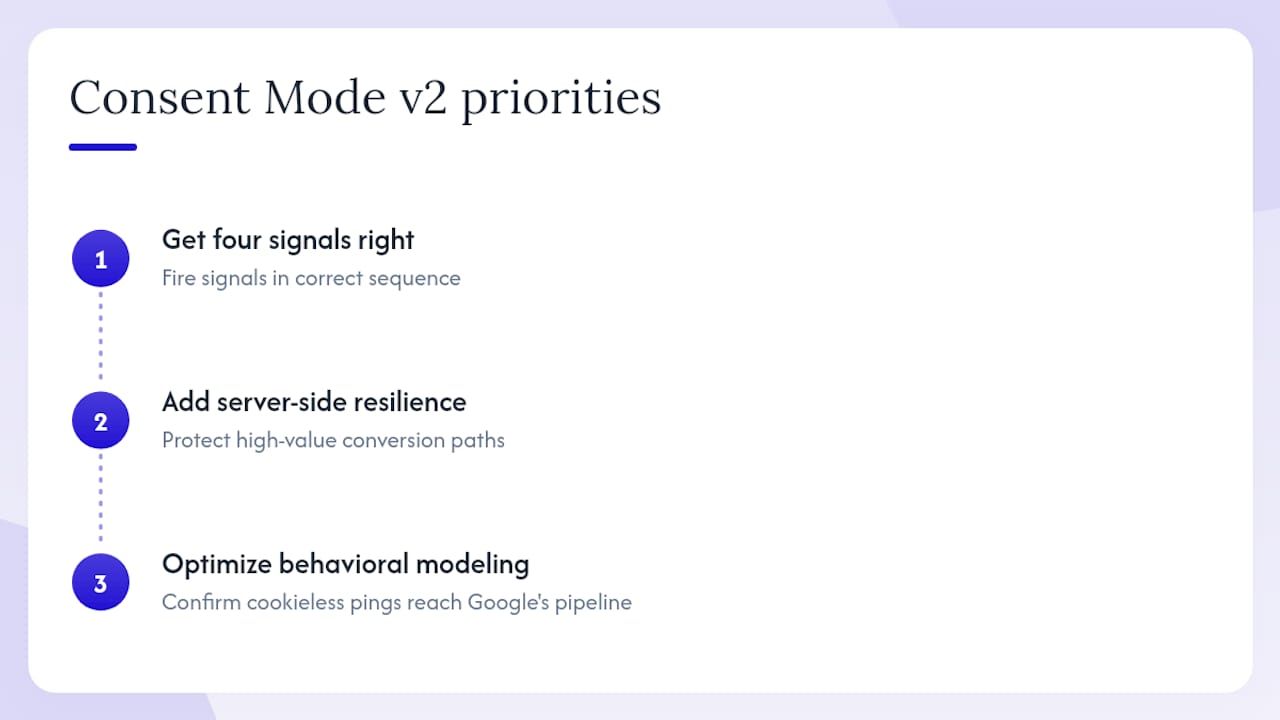
Prioritize in this order: get the four signals correct and firing in the right sequence first. Then add server-side resilience for high-value conversion paths. Then optimize behavioral modeling by tuning wait_for_update and confirming cookieless pings are reaching Google's modeling pipeline. Each layer builds on the one before it.
Autoroiq's measurement intelligence for dealerships
Implementing Consent Mode v2 correctly is the foundation. Translating what it does to your conversion data into a clear picture of which campaigns are actually driving vehicle sales is where most dealerships lose ground.

Autoroiq provides independent marketing performance analysis for automotive dealerships, specifically designed to reconcile the measurement gaps that Consent Mode, modeling, and multi-platform attribution create. When your Google Ads dashboard shows modeled conversions alongside observed ones, Autoroiq's vendor-agnostic methodology separates signal from noise, giving your leadership team a defensible view of cost per lead, cost per sale, and true channel ROI. No advertising sold, no vendor bias, no conflicting reports.
If your dealership is navigating the shift to privacy-first measurement and needs clarity on what your marketing budget is actually producing, request an independent review from Autoroiq.
Sources
The following references cover the official API specifications, GTM implementation patterns, and CMP integration guidance referenced throughout this article.
Official Google documentation
- Set up consent mode on websites | Tag Platform
- About consent mode - Tag Manager Help
- Google Consent Mode v2 in GTM: A Step-by-Step Setup Guide (Default, Update, and Debug) - Consent Mode HQ
- Google Consent Mode v2: The Complete Implementation | CookieChimp
- How to implement Google Consent Mode v2: Step-by-Step Setup Guide - WhatCookie
GTM and CMP implementation guides